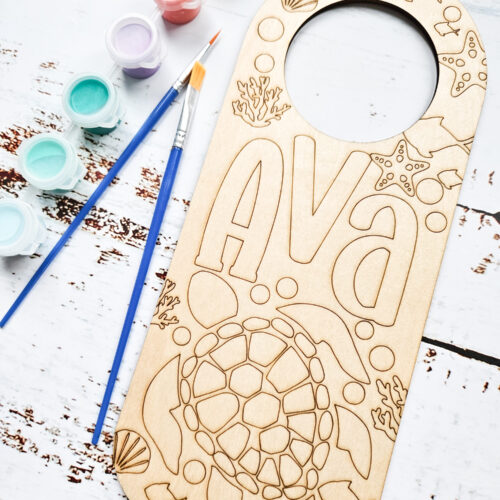
How to Make Laser Engraved Wood Door Hangers to Gift or Sell
Learn how to make personalized laser engraved wood door hangers for unique gift giving or to sell as a small business opportunity.
Ingredients
- xTool P2 or other laser engraver
- Blank wood door hanger
- SVG file of your choosing or personalized text/design
Instructions
To Create a Personalized Design
- Creative Space has free designs in their menu that you can use and size up or down accordingly.
- You can also get svg designs from Creative Fabrica.
- Add a name or text of your choosing. Select the text icon and type out the word or phrase you want to include. Change the font using the drop down menu and then resize the text to fit.
- Group all together and size it to fit on the blank door hanger.
Using the XTool P2 for Engraving
- Open the Creative Space app and turn on xTool P2.
- Connect Creative Space app to machine.
- Click on new project.
- Import an image/phrase or use the design created in Creative Space.
- Place the blank door hanger inside the machine on top of the slats.
- Refresh the screen and select the measure tool to manually check the thickness of the door hanger.
- Size the design to fit on the door hanger.
- With the design selected, ensure the parameter is set to engrave and then assign the settings for the machine to follow. In our case, we found 40% power with 18mm/s and 1 pass the ideal setting.
- Hit process.
- Remove when engraving is complete.
- Wipe away some of the fine dust on the surface of the door hanger.
Tried this recipe?Let us know how it was!